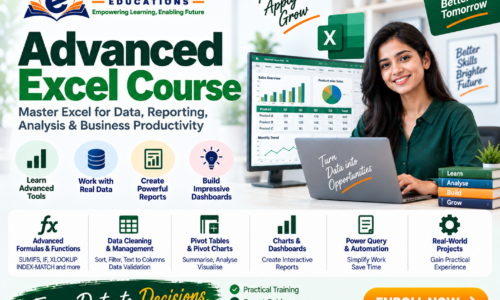
Advanced Excel Course
Master Excel for Data, Reporting, Analysis & Business Productivity
The Advanced Excel Course at E Gurukul Educations is designed to help learners move beyond basic spreadsheet operations and develop practical skills in data management, advanced formulas, reporting, dashboards, data analysis and automation concepts.
Course Overview
Course Name: Advanced Excel
Category: Computer & Office Skills
Level: Intermediate to Advanced
Approach: Practical Training + Exercises + Projects
Learning Path
Excel Basics → Advanced Formulas → Data Management → Analysis → Pivot Tables → Dashboards → Automation
Module 1 — Excel Fundamentals
- Workbook and worksheet management
- Cell formatting
- Data entry and editing
- Rows and columns
- Cell references
- Number formats
- Basic formulas
- Basic functions
- Page setup and printing
- Freeze panes
- Excel shortcuts
Module 2 — Advanced Formulas & Functions
Mathematical & Statistical Functions
- SUM
- SUMIF / SUMIFS
- COUNT / COUNTA
- COUNTIF / COUNTIFS
- AVERAGE
- AVERAGEIF / AVERAGEIFS
- MAX / MIN
- ROUND / ROUNDUP / ROUNDDOWN
Logical Functions
- IF
- IFS
- AND
- OR
- NOT
- IFERROR
Text Functions
- LEFT
- RIGHT
- MID
- LEN
- TRIM
- UPPER / LOWER / PROPER
- CONCAT / TEXTJOIN
- FIND / SEARCH
- SUBSTITUTE
Date & Time Functions
- TODAY
- NOW
- DATE
- DAY / MONTH / YEAR
- DATEDIF
- NETWORKDAYS
- WORKDAY
Module 3 — Lookup & Reference Functions
Learn to retrieve and connect information across datasets.
- VLOOKUP
- HLOOKUP
- XLOOKUP
- INDEX
- MATCH
- INDEX + MATCH
- XMATCH
- IF with lookup functions
- Multiple-criteria lookup concepts
Practical Applications
- Employee database
- Product pricing
- Customer records
- Sales data
- Inventory lookup
- Student records
Module 4 — Data Cleaning & Management
- Sorting data
- Advanced filtering
- Remove duplicates
- Text to Columns
- Flash Fill
- Find & Replace
- Data validation
- Drop-down lists
- Error identification
- Cleaning inconsistent data
- Handling blank values
- Basic data-quality practices
Module 5 — Conditional Formatting
- Highlight cell rules
- Duplicate values
- Data bars
- Color scales
- Icon sets
- Formula-based conditional formatting
- Dynamic highlighting
Practical: Create an employee performance and sales-performance tracker.
Module 6 — Excel Tables
- Creating structured tables
- Table formatting
- Structured references
- Calculated columns
- Table filters
- Dynamic data ranges
- Using tables for reporting
Module 7 — Pivot Tables & Pivot Charts
One of the most important areas of Advanced Excel.
Topics
- Creating Pivot Tables
- Rows, columns, values and filters
- Grouping data
- Sorting and filtering
- Calculated fields/concepts
- Slicers
- Timelines
- Pivot Charts
- Interactive reporting
Practical Projects
- Monthly sales report
- Employee performance report
- Product-wise sales analysis
- Expense analysis
Module 8 — Charts & Data Visualization
Learn to convert data into easy-to-understand visual reports.
- Column charts
- Bar charts
- Line charts
- Pie charts
- Area charts
- Combo charts
- Scatter charts
- Chart formatting
- Dynamic charts
- Dashboard visualisation principles
Module 9 — Advanced Data Analysis
- What-if analysis
- Goal Seek
- Scenario Manager
- Data Tables
- Subtotal
- Consolidation
- Basic forecasting concepts
- KPI calculations
- Trend analysis
- Comparative analysis
Module 10 — Power Query Fundamentals
Introduction to Power Query for importing and transforming data.
- Importing data
- Cleaning datasets
- Changing data types
- Removing columns
- Filtering data
- Splitting columns
- Merging queries
- Appending datasets
- Refreshing data
- Creating repeatable data-cleaning workflows
Module 11 — Dashboards & MIS Reporting
Learn how to create professional business reports.
Dashboard Components
- KPIs
- Summary tables
- Charts
- Pivot Tables
- Slicers
- Interactive filters
- Performance indicators
Practical Dashboards
- Sales Dashboard
- Employee Performance Dashboard
- Expense Dashboard
- Inventory Dashboard
- Attendance Dashboard
- Management Information System (MIS) Report
Module 12 — Excel Automation Concepts
Introduction to automation for repetitive Excel tasks.
- Macro fundamentals
- Recording macros
- Running macros
- Basic VBA concepts
- Automating repetitive tasks
- Introduction to VBA procedures
- Basic worksheet automation
The depth of VBA training can be adjusted according to the institute’s course structure.
Practical Projects
Students can work on real-world style Excel assignments such as:
1. Sales Dashboard
Track sales by:
- Product
- Employee
- Month
- Region
- Sales value
2. Employee Management Report
- Employee database
- Attendance
- Salary calculations
- Performance indicators
3. Inventory Management
- Product list
- Stock in/out
- Current stock
- Reorder indicators
- Product analysis
4. Expense Tracker
- Monthly expenses
- Categories
- Budget comparison
- Charts
- Summary dashboard
5. Student Performance Report
- Marks
- Percentage
- Grade
- Rank
- Subject-wise analysis
Skills You Can Develop
After completing the course, learners can develop skills in:
- Advanced Excel formulas
- Data cleaning
- Data analysis
- Lookup functions
- Pivot Tables
- Pivot Charts
- Data visualization
- MIS reporting
- Dashboard creation
- Power Query fundamentals
- Excel automation concepts
- Business reporting
Who Can Join?
The course can be suitable for:
- Students
- Graduates
- Job seekers
- Office professionals
- Accounts professionals
- HR professionals
- Sales professionals
- Business owners
- Data-entry professionals
- MIS executives
- Anyone wanting stronger Excel skills
Career Areas
Advanced Excel skills can support work involving:
- MIS Reporting
- Data Entry & Management
- Office Administration
- Accounts Support
- Sales Reporting
- HR Reporting
- Inventory Management
- Business Reporting
- Data Analysis Support
Career opportunities depend on individual skills, qualifications and experience. Course completion does not guarantee employment.
Why Learn Advanced Excel?
Learn → Practice → Analyse → Report
At E Gurukul Educations, the course can emphasize practical exercises and business-oriented projects so learners learn not only which Excel function to use, but when and why to use it.
Suggested Course Title
Advanced Excel — Data Analysis, MIS & Dashboard Course
Tagline
Master Excel. Analyse Data. Build Better Reports.
Instructor