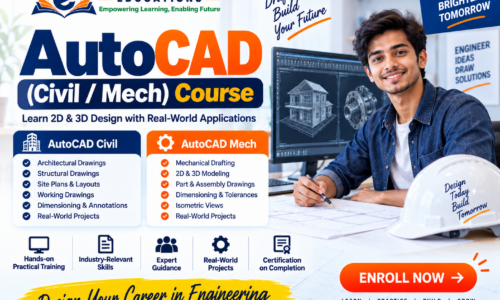
AutoCAD (Civil / Mechanical) Course
Learn 2D & 3D Design, Drafting & Technical Drawing
The AutoCAD (Civil / Mechanical) Course at E Gurukul Educations is designed to develop practical computer-aided design and drafting skills for learners interested in civil engineering, mechanical engineering, architecture, construction and technical design.
The course focuses on 2D drafting, technical drawings, dimensions, annotations, layouts and introductory 3D concepts, with separate learning paths for Civil and Mechanical applications.
Course Overview
Course Name: AutoCAD (Civil / Mech)
Category: Design & Engineering Software
Level: Beginner to Intermediate
Learning Approach: Theory + Demonstration + Hands-on Practice + Projects
Core Learning Path
CAD Fundamentals → 2D Drafting → Technical Drawing → Civil/Mechanical Applications → 3D Basics → Projects
Module 1 — Introduction to AutoCAD
Students are introduced to the AutoCAD environment and basic CAD concepts.
Topics
- What is CAD?
- Introduction to AutoCAD
- Applications of AutoCAD
- AutoCAD interface
- Drawing workspace
- Command line
- Toolbars and panels
- Navigation tools
- Units and drawing limits
- Coordinate systems
- Absolute, relative and polar coordinates
- Basic drawing workflow
Practical
- Create a new drawing
- Set units
- Use drawing coordinates
- Save and manage CAD files
Module 2 — Basic Drawing Commands
Students learn the fundamental tools required to create accurate 2D drawings.
Topics
- Line
- Polyline
- Circle
- Arc
- Rectangle
- Polygon
- Ellipse
- Spline
- Construction lines
Modification Commands
- Move
- Copy
- Rotate
- Mirror
- Scale
- Trim
- Extend
- Offset
- Fillet
- Chamfer
- Array
- Stretch
Module 3 — Precision Drafting
Accuracy is an important part of technical drawing.
Topics
- Object Snap
- Grid and Snap
- Ortho Mode
- Polar Tracking
- Object Tracking
- Coordinate entry
- Precision selection
- Drawing constraints
- Layers and layer management
Practical Exercise
Create accurate geometric and technical drawings using coordinates, object snaps and construction techniques.
Module 4 — Layers, Properties & Standards
Students learn how to organize professional CAD drawings.
Topics
- Creating layers
- Layer colors
- Linetypes
- Lineweights
- Layer visibility
- Layer locking
- Object properties
- Properties panel
- Drawing standards
- Basic CAD organization
Module 5 — Text, Dimensions & Annotations
Learn how to communicate technical information clearly through drawings.
Topics
- Single-line text
- Multiline text
- Text styles
- Dimension styles
- Linear dimensions
- Aligned dimensions
- Angular dimensions
- Radius and diameter
- Leaders
- Multileaders
- Center marks
- Annotation standards
Module 6 — Hatching & Technical Representation
Topics
- Hatch patterns
- Solid fills
- Gradient fills
- Hatch boundaries
- Editing hatch patterns
- Section representation
- Material representation
- Technical annotations
Module 7 — Blocks & Reusable Components
Topics
- Creating blocks
- Inserting blocks
- Editing blocks
- Attributes
- Reusable CAD components
- Symbols
- Title blocks
- Basic templates
Module 8 — Layout, Viewports & Printing
Students learn how to prepare drawings for professional presentation and printing.
Topics
- Model Space
- Paper Space
- Layouts
- Viewports
- Drawing scales
- Page setup
- Plot styles
- Print settings
- PDF output
- Drawing sheet preparation
Civil AutoCAD Module
Civil Drafting & Design Applications
The Civil track focuses on drawings commonly encountered in construction and civil engineering environments.
Topics
Architectural & Building Drawings
- Floor plans
- Elevations
- Sections
- Doors and windows
- Staircase drawings
- Room layouts
- Dimensioning
- Basic working drawings
Site & Civil Drawings
- Site plans
- Plot layouts
- Road layouts
- Basic drainage layouts
- Utility layouts
- Land measurement representation
- Section drawings
- Site annotations
Civil Projects
- Residential floor plan
- Building elevation
- Building section
- Site layout
- Road/utility layout
- Complete residential drawing set
Advanced civil design and engineering calculations may require specialized software and professional engineering knowledge beyond basic AutoCAD drafting.
Mechanical AutoCAD Module
Mechanical Drafting & Technical Design
The Mechanical track focuses on technical drawing and drafting concepts used for mechanical components and assemblies.
Topics
Mechanical Drawing
- Orthographic projection
- Isometric drawing
- Sectional views
- Auxiliary views
- Dimensioning
- Tolerances
- Geometric representation
- Engineering symbols
Component Drafting
- Machine components
- Shafts
- Bearings
- Flanges
- Fasteners
- Mechanical parts
- Assembly drawings
Mechanical Projects
- Mechanical component drawing
- Detailed part drawing
- Sectional drawing
- Isometric component
- Assembly drawing
3D AutoCAD Fundamentals
Students can be introduced to basic 3D concepts after developing strong 2D drafting skills.
Topics
- 3D workspace
- Basic 3D coordinates
- 3D primitives
- Extrude
- Revolve
- PressPull
- Union
- Subtract
- Intersect
- 3D editing
- Basic materials and visual styles
- 3D views
- Basic 3D presentation
Practical Training
The course should emphasize hands-on CAD practice rather than only theoretical learning.
Students can practice:
- Creating drawings from measurements
- Converting sketches into CAD drawings
- Applying dimensions and annotations
- Creating professional layouts
- Preparing drawings for PDF/printing
- Editing existing CAD drawings
- Building Civil and Mechanical projects
Project-Based Learning
Civil Projects
- Residential Floor Plan
- Building Elevation
- Building Section
- Site Plan
- Basic Road/Site Layout
Mechanical Projects
- Mechanical Component Drawing
- Orthographic Drawing
- Isometric Drawing
- Sectional Drawing
- Assembly Drawing
Skills You Can Develop
After completing the course, learners can develop skills in:
- AutoCAD interface and workflow
- 2D CAD drafting
- Technical drawing
- Precision drafting
- Layers and CAD standards
- Dimensioning and annotation
- Civil drafting
- Mechanical drafting
- Basic 3D modelling
- Layout and plotting
- Technical documentation
- CAD project preparation
Who Can Join?
The course can be suitable for:
- Class 10/12 students interested in technical design
- Diploma students
- Civil engineering students
- Mechanical engineering students
- Architecture students
- ITI students
- Polytechnic students
- Engineering graduates
- Job seekers
- Working professionals
- Beginners interested in CAD
Prior AutoCAD experience is not necessarily required for a beginner-level program.
Career Areas
AutoCAD skills may support opportunities in areas such as:
- CAD Operator
- AutoCAD Drafter
- Civil CAD Drafter
- Mechanical CAD Drafter
- Drafting Assistant
- Design Assistant
- Architectural Drafting Support
- Engineering Documentation
- CAD Technician
Career opportunities depend on the learner’s technical skills, qualifications, portfolio, experience and employer requirements. Course completion does not guarantee employment.
Why Learn AutoCAD at E Gurukul?
- Practical CAD training
- Hands-on drawing exercises
- Civil & Mechanical learning options
- Project-based assignments
- Technical drawing practice
- Industry-oriented software skills
- Supportive learning environment
- Focus on accuracy and drafting standards
Learn → Practice → Design → Build
Suggested CTA:
Learn AutoCAD. Create Precise Designs. Build Your Technical Skills.
Course duration, fees, software version, eligibility and certification should be added only after E Gurukul Educations confirms the official academic structure.
Instructor